Smart Meter Operation
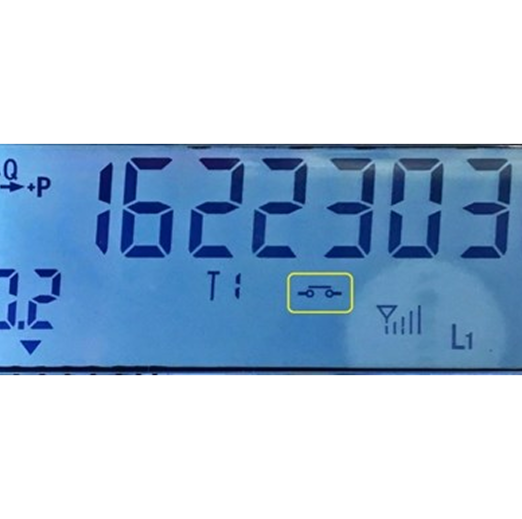
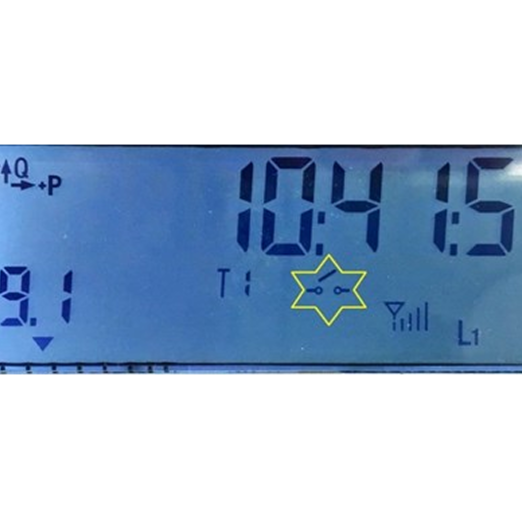
The current operating status is shown on the meter screen and is represented by the symbol of the switch element, as shown in the yellow box in the images below.
The position of the symbol on the screen may vary depending on the type of meter, but the symbol is always the same as in the photos below.
Meter screens do not display yellow boxes. These are only provided for reference.
CLOSED SWITCH SYMBOL (ON)
In this mode, electricity supply is standard.
Image on the right: Closed Switch Symbol
OPEN SWITCH SYMBOL (OFF)
In this mode, electricity supply has been cut off, due to debt, contract termination. Indication stays on.
Image on the left: Open Switch Symbol
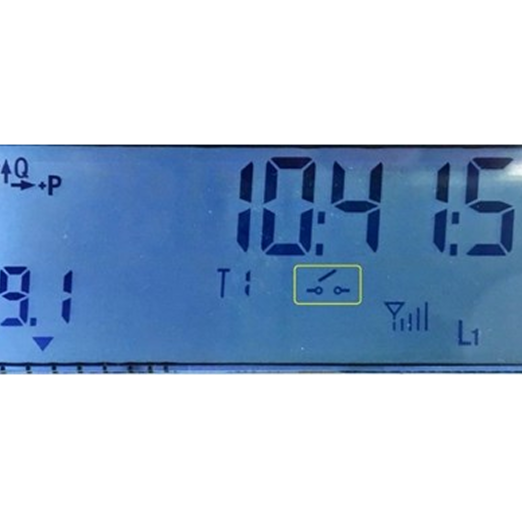
STANDBY SWITCH SYMBOL
Indication flashes and the meter is in standby mode for restoration. This is displayed when a reconnection order has been issued or when the meter has been disconnected due to power overload.
Image on the right: Standby Switch Symbol
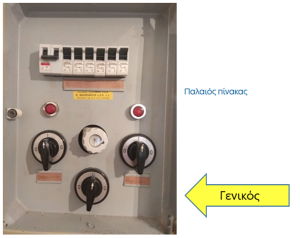
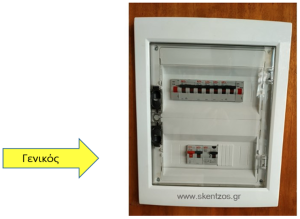
Internal electrical control panels
|
Old panel
|
New panel
|